
Third-party scripts: the attack that exposed IKEA and the BBC

On November 16, 2026, websites of at least 178 organizations, including IKEA, the BBC, Zoom and CNN, served malicious code to their visitors. Nobody broke into their servers: attackers compromised Optimizely, an external testing tool all those sites loaded. The lesson for any Drupal site is simple: the third-party scripts your site loads are part of its security, and they can be controlled.
What happened
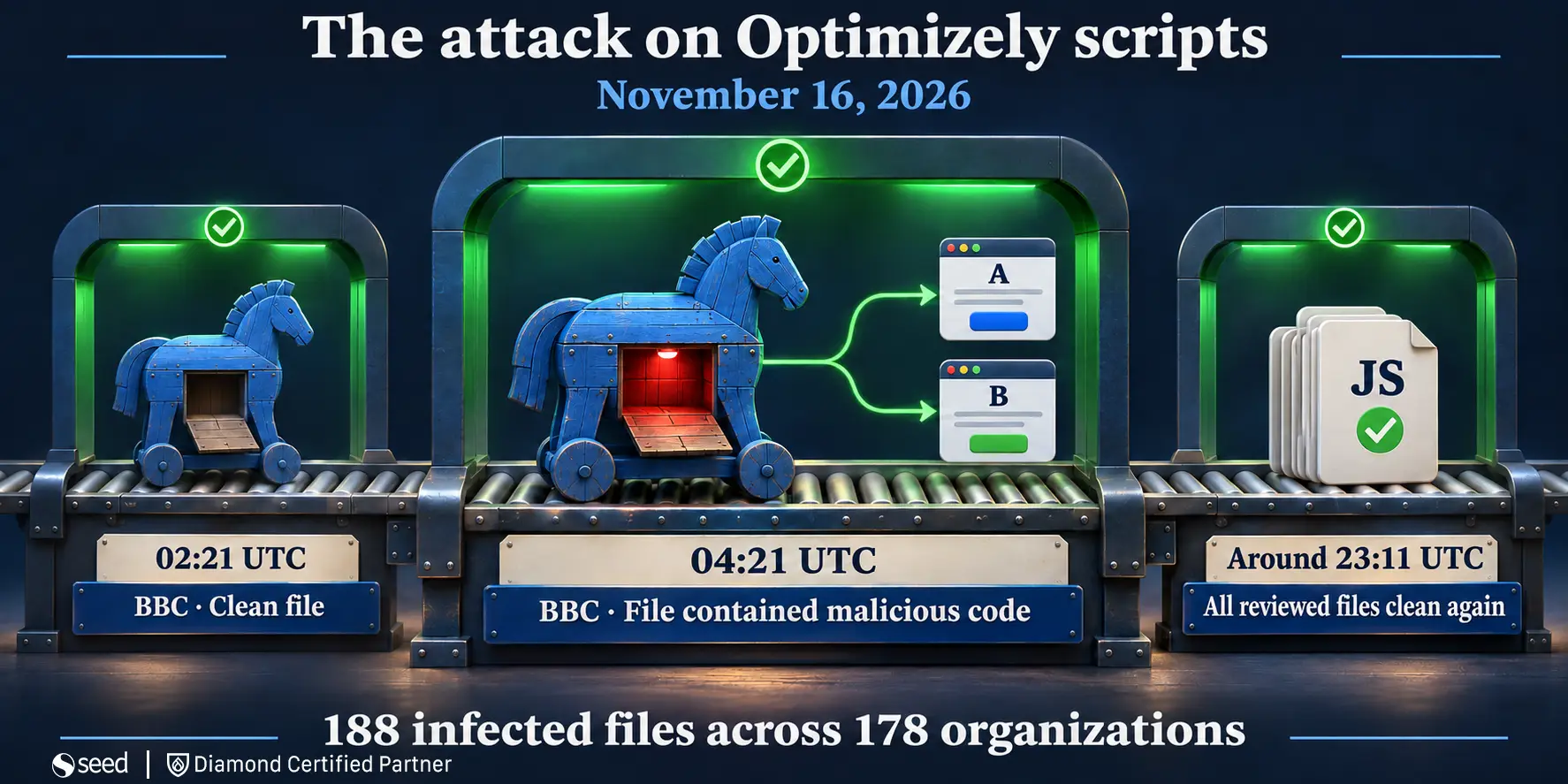
The attackers exploited a vulnerability in Optimizely Web Experimentation, a platform for testing page variations, and added malicious JavaScript to customer projects. Report URI, the company that discovered the attack, checked 1,611 Optimizely files and found 188 infected, belonging to 178 organizations.
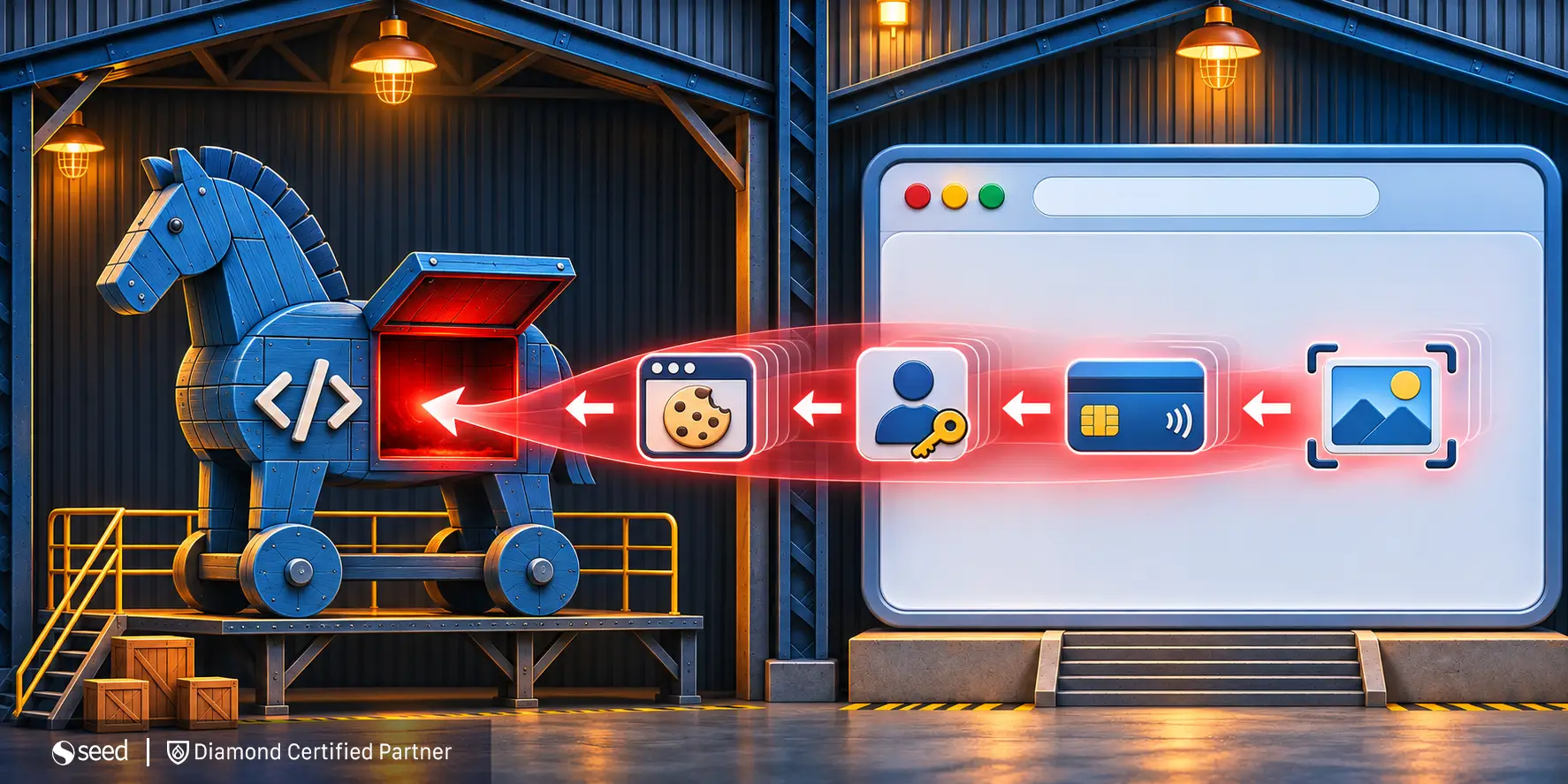
The code could steal card data, cookies and screenshots, replace cryptocurrency payment addresses with the attackers' own and load attacks against iPhones and iPads. In the BBC's case, the file was clean at 02:21 UTC and infected two hours later. By 23:11 UTC all files were clean again, but researcher Scott Helme estimates the code was served in about 34 million page visits.
Why protecting their own data was not enough
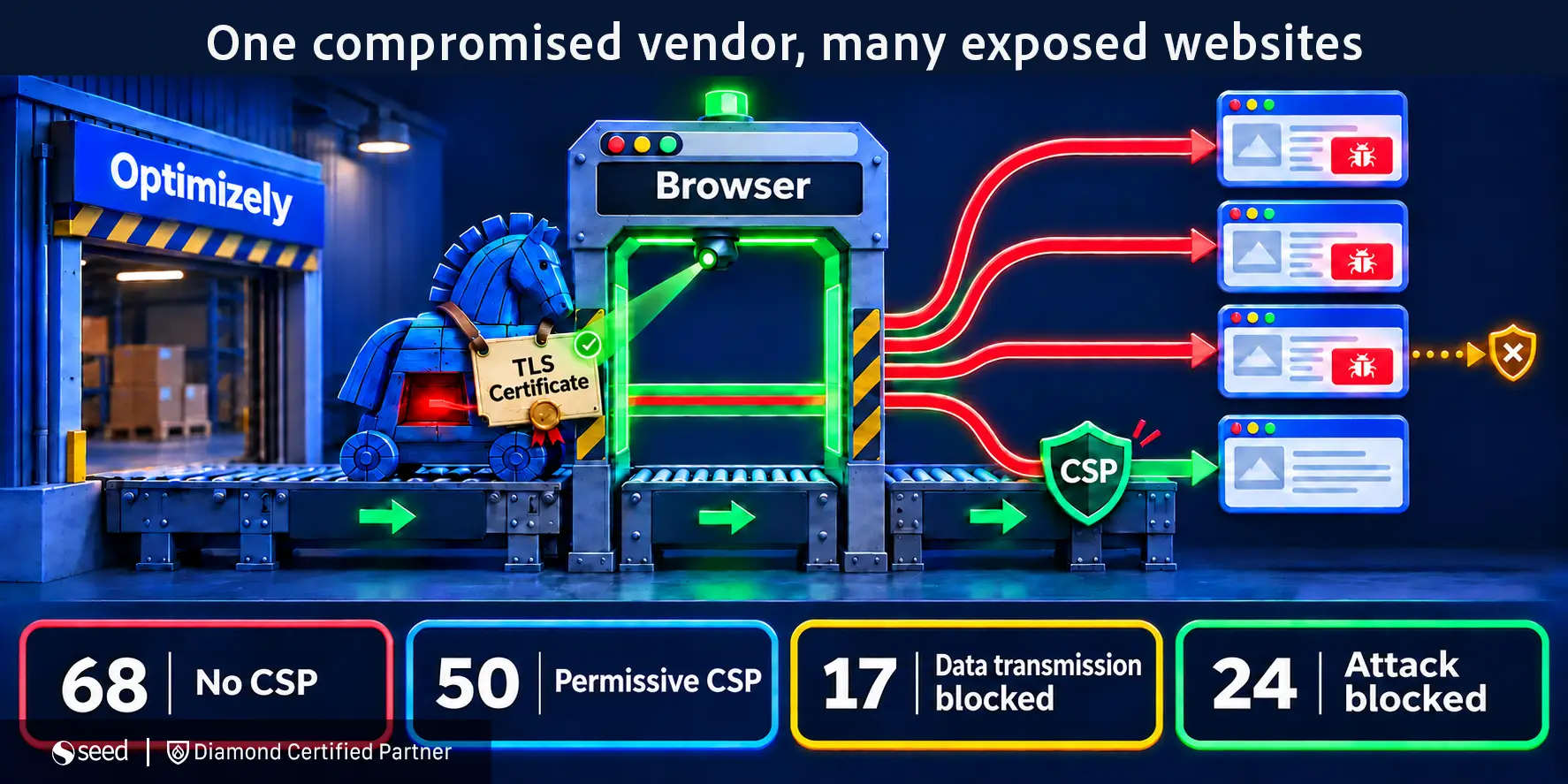
The malicious file came from Optimizely's server, with its valid security certificate. To the browser, it was the same vendor those sites already trusted. This is known as a supply chain attack: compromise one vendor and its code runs on all its customers at once.
A third-party script runs with the same permissions as the site's own code: it can read forms, change what visitors see and send data elsewhere.
The defense exists but is rarely used. Report URI checked the Content Security Policy (CSP) of the affected sites, the rule that tells the browser what a page may load and where it may send data: 68 had none, 50 had one that let both the attack and the data theft through, 17 blocked the data theft but not the code, and only 24, or 15%, fully blocked the attack.
Beware of a false sense of security: allowing Optimizely did not protect anyone, because the malicious code came from that very server. What saved the 24 was a policy that only allowed scripts from the servers they needed: the code the attacker tried to load from their own domain was blocked. On the 17 in between, the code ran, but a rule limiting where the page could send data stopped the theft of cards, cookies and screenshots.
What it means for Drupal sites
This is not a flaw in Drupal or any CMS: it affects any site that loads third-party code. And almost all of them do: analytics, ad pixels, chats and WhatsApp buttons, maps, testing tools or tag managers such as Google Tag Manager. Each one is a vendor with access to your visitors.
The risk grows on sites with forms, payments or online procedures, such as online stores, universities or public agencies. There, a compromised script does more than damage reputation: it can capture users' personal data.
How to control third-party scripts in Drupal
- Take inventory. List the third-party scripts each page type loads and who added them: a module, the theme or a tag manager.
- Remove what you do not use. Every script removed is one less vendor with access to your visitors.
- Define a Content Security Policy. In Drupal, the Content-Security-Policy module builds the policy from the site's libraries and is used by more than 24,000 sites. Start in report-only mode, review what would be blocked and then enforce it: switching on blocking all at once, without auditing what the tag manager injects, can break forms, payment gateways, maps or chats.
- Use Subresource Integrity (SRI) where it applies. It checks that an external file has not changed. It works for libraries with a fixed version, but not for tools whose code changes constantly, such as Optimizely or Google Tag Manager; that is why CSP remains essential.
- Control who can add scripts. Review access to the tag manager and the theme configuration, and which Drupal roles can use unfiltered text formats, such as Full HTML without restrictions on the script tag: it is a common way third-party code gets pasted into blocks or content.
If you want to know which third-party scripts your Drupal site loads today and how to limit them, Seedem can review it with you. Learn more about SeedCloud, our managed infrastructure for Drupal: https://cloud.seedem.co/
Sources
- Report URI – World's Largest Brands Infected With Malware Via Optimizely
- Krebs on Security – Attackers Used Optimizely to A/B Test Malware
- Malwarebytes – CNN, BBC, Zoom and other sites served malicious code
- Newsweek – Cyber Attack Hits 178 Major Websites
- Infobae – Un ataque infectó a 178 sitios
- Drupal.org – Content-Security-Policy module